

Ultracopier replaces Windows explorer file copy and adds many features: Transfer resuming, transfer speed control, transfer speed computation, better transfer progress display, faster transfers, copy list editable while transferring.
 France
 EU
EU


+3


Ultracopier replaces Windows explorer file copy and adds many features: Transfer resuming, transfer speed control, transfer speed computation, better transfer progress display, faster transfers, copy list editable while transferring.

Lightweight, self-hosted web interface features multi-file upload, syntax-highlighted editing, batch operations, drag & drop support, and Docker compatibility.


A multi purpose launcher and more advanced and customizable freeware windows run replacement and more. Executor is available also as a portable app and can be integrated in LiberKey.


 Flow Launcherand

Tablacus Explorer is a tabbed file manager with Add-on support.
Tabbed interface Add-on support Customizable association, menus, keys, mouse gestures, alias Completely Portable, No installation required Multiple language and Unicode support Open source .


 Double Commander
muCommander is a lightweight, cross-platform file manager with a dual-pane interface. It runs on any operating system with Java support (Mac OS X, Windows, Linux, *BSD, Solaris...).


 Double Commander
ES File Explorer is a free, featured all-in-one file manager, application manager, task killer, webDAV client & FTP client for your Android phone.


A reliable tool that helps you manage and organize files on your device without annoying ads. You can easily search, move, copy, delete and rename files and folders on your device.


xplorer² is a desktop file manager combining the simplicity of Windows explorer with the speed and efficiency of traditional dual pane file managers.


 Double Commander
Krusader is an advanced twin panel (commander style) file manager for KDE Plasma and other desktops in the *nix world.
 Double Commander
Organize bookmarks, notes, to-dos, and files in an online desktop with a customizable, Mac and Windows-inspired interface for streamlined digital management.


 Karakeep
grepWin is a simple search and replace tool which can use PCRE regular expressions to search for strings of text within files. grepWin adds an entry to the shell context menu to easily search selected folders.


 Clapgrep
Albert is a C++/Qt based desktop agnostic keyboard launcher that helps you to accomplish your workflows in a breeze. Its goals are usability and beauty, performance and extensibility.


Ever had a folder full of PDF files, where you knew, somewhere in there, is what you're looking for. But you did not know in which file. So you had to search each of them at a time…


CyberChef is a simple, intuitive web app for carrying out all manner of "cyber" operations within a web browser. Runs client-side in your browser via the website or as a downloadable html file.

 DevToysand
 Omni Tools
AntiDupl.NET can find and display duplicate images in the main graphic formats: JPEG, GIF, TIFF, BMP and PNG. The comparison is based on the contents of the files, so the program can find not only almost identical, but similar images.


Categorizes files and folders using visual tag bubbles without moving or duplicating them, enabling dynamic search and intuitive organization by combining tags.


FARR also lets you quickly run web searches, send email, manipulate files, control on-screen windows, and much more. Build and share custom commands or install plugins to add tons of new features, like live search features for your clipboard history and your internet bookmarks;...


 Microsoft PowerToys
Seek, peek, and preview to find your work instantly — even if it's buried in folders, or you've lost track of it over the months.


Sparkle uses AI to create a unique folder system and organize every new file (and all your old ones) into the right place. It manages your Downloads, Desktop, and Documents folders so you don't have to.


Catfish is a handy file searching tool for Linux and Unix. The interface is intentionally lightweight and simple, using only GTK+3. You can configure it to your needs by using several command line options.


Solid Explorer is the best looking file and cloud manager with two independent panels, which brings to you a new file browsing experience.


VisiPics does more than just look for identical files, it goes beyond checksums to look for similar pictures and does it all with a simple user interface. First, you select the root folder or folders to find and catalogue all of your pictures.


 United States


 Denmark
 Japan
Japan


 China
China

 Germany
 United Kingdom


 Switzerland


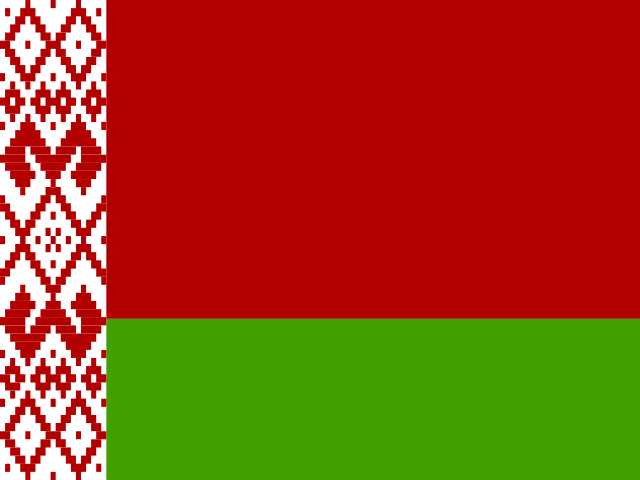 Belarus


 Italy
Italy


 Poland


